
| NetAgentA |
|
 |
||||||
 : NetAgent Cloud en línea
 : NetAgent Cloud desconectado
 : Ir a la configuración de NetAgent Cloud
 : Usuario actual
 : Cerrar sesión
* Click on calendar on the left to get the list of event log for the specified day.
Click on "Events List" tab to show all events on the selected date; Click on "Events census" tab to show event statistics chart on the selected date.
|
|||||||||
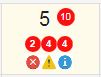
 : Serious event. "2" at the top of this icon is the number of serious event.
 : Warning event. "4" at the top of this icon is the number of warning event.
 : Information event. "4" at the top of this icon is the number of information event.